Comment Grab

Export YouTube comments to CSV or Excel

Open a YouTube video, click the icon, and get every comment with replies, likes, dates and authors as a clean CSV or Excel file. No limit, no account, everything runs in your browser.

  • Grabs all comments of the current video, including replies, sorted by Top or Newest
  • Exports to CSV or XLSX with the columns you choose, or copies straight into Google Sheets
  • Runs entirely in your browser: talks only to youtube.com, no account, no server, no data collection

  • Comment Grab panel open on a video: 1,240 comments loaded with a preview table of author, comment, likes and date, and CSV / Excel / Copy for Sheets buttons
  • The panel before an export, offering to collect the comments of the current video
  • The panel collecting comments, showing live progress
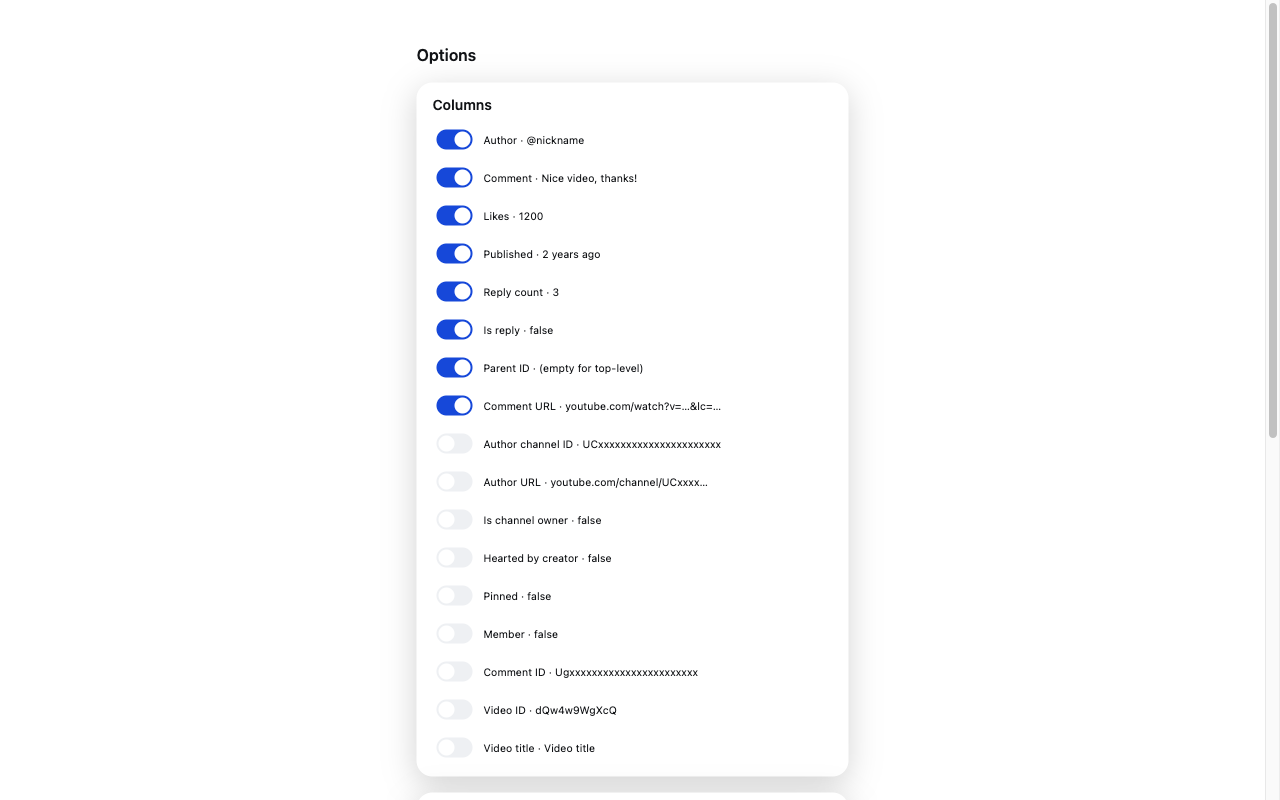
  • Options page: pick which columns to export, the CSV delimiter, sort order and whether to include replies
  • The ready panel in dark mode

What it asks for, and why

activeTab
Read the comments only on the YouTube tab where you click the icon or use the menu
scripting
Open the export panel on the active YouTube tab when you click
contextMenus
Add an "Export comments to CSV…" option to the right-click menu on video pages
downloads
Save the exported CSV/XLSX file with a readable name
storage
Remember your column and format settings and export stats

No remote code. Nothing leaves your browser unless the privacy policy says so.

Coming soon to Chrome Web Store

More extensions